Membuat vendor return
PETUNJUK :
Langkah |
Kegiatan |
1 |
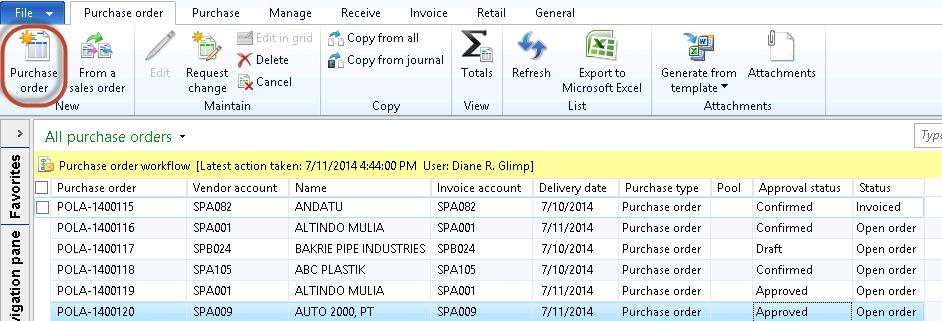
Pilih Procurement and sourcing > Common > Purchase orders > All purchase orders. |
2 |
Muncul tampilan berikut
|
3 |
Klik tombol Purchase order. |
4 |
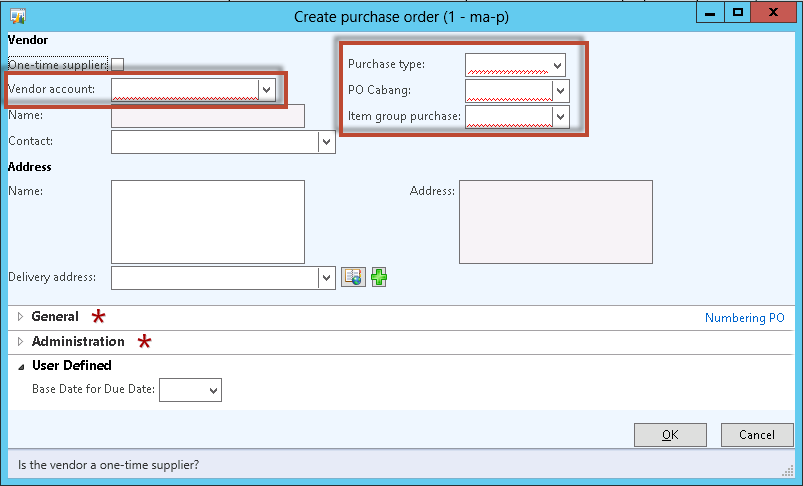
Muncul form berikut
|
5 |
Pilih Vendor account yang sesuai. |
6 |
Pilih Purchase type yang sesuai. |
7 |
Pilih PO Cabang yang sesuai. |
8 |
Pilih Item group purchase yang sesuai. |
9 |
Klik tombol OK. |
10 |
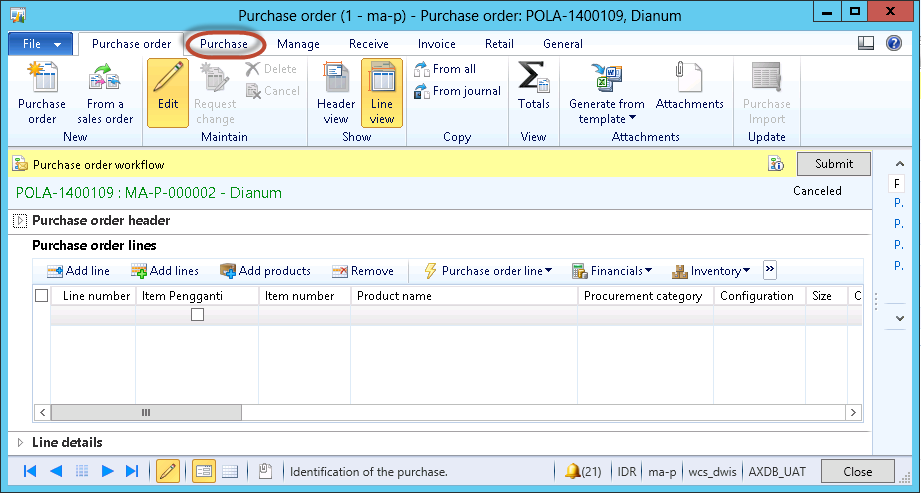
Muncul form berikut
|
11 |
Pilih tab Purchase
|
12 |
Klik tombol Credit note. |
13 |
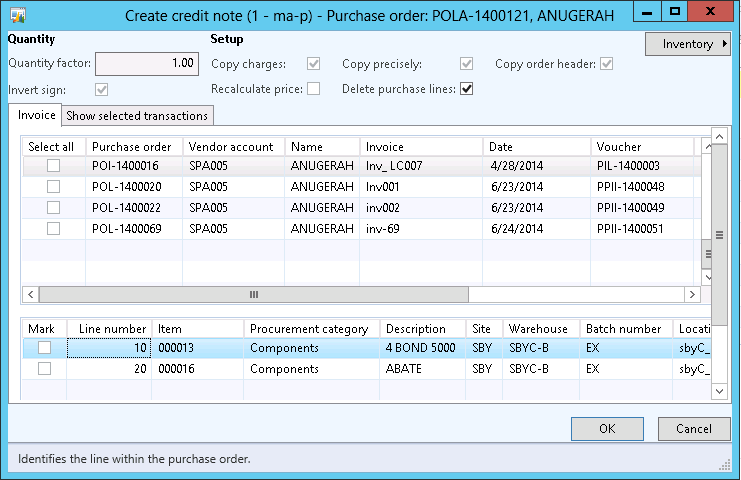
Muncul form berikut
|
14 |
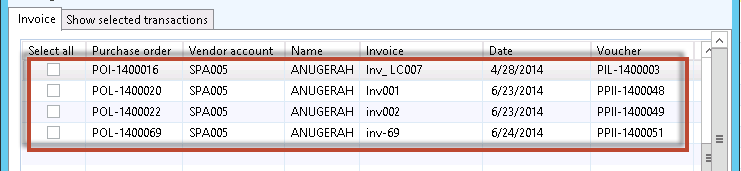
Pilih invoice yang akan dibuatkan credit note
|
15 |
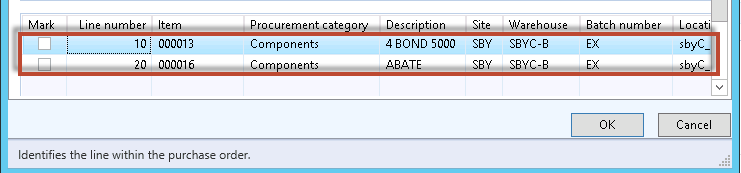
Pilih item yang akan di-return
|
16 |
Update Quantity sesuai dengan jumlah item yang akan direturn
|
17 |
Menjadi seperti
|
18 |
Klik tombol OK. |
19 |
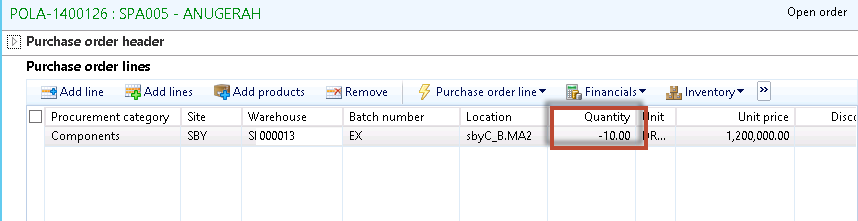
Pada PO akan terbentuk kuantiti dengan nilai negative seperti berikut
|
20 |
Isikan return action pada tab detail per item yang diretur. |
21 |
Submit PO. |



Created with the Personal Edition of HelpNDoc: Easily create EPub books