Pembuatan warehouse
Tabel berikut menjelaskan cara membuat warehouse baru :
PETUNJUK :
Langkah |
Kegiatan |
1 |
Pilih Inventory and warehouse management > Setup > Inventory breakdown >Warehouses. |
2 |
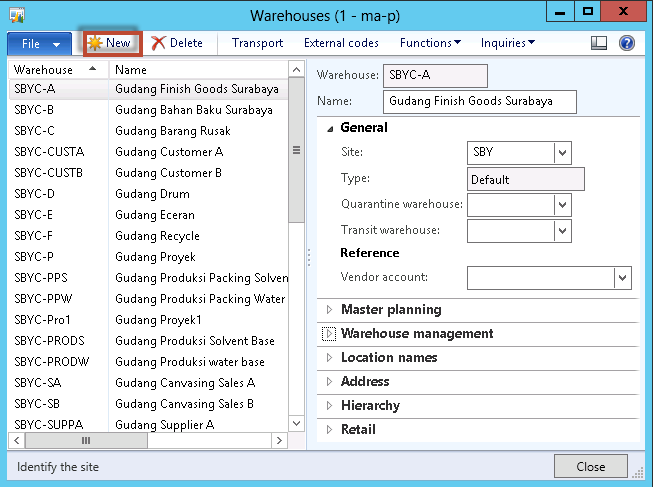
Muncul form seperti berikut
|
3 |
Klik tombol New
|
4 |
Muncul tampilan berikut
|
5 |
Isikan kode warehouse pada field Warehouse. |
6 |
Isikan nama warehouse pada field Name. |
7 |
Pilih fast tab General. |
8 |
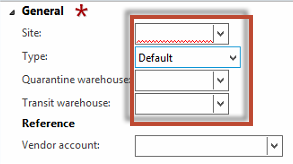
Muncul tampilan berikut
|
9 |
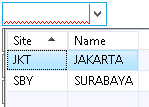
Pilih Site yang sesuai
|
10 |
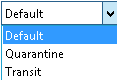
Pilih tipe warehouse yang sesuai pada field Type
|
11 |
Pilih Quarantine warehouse yang sesuai untuk warehouse tersebut jika ada. |
12 |
Pilih Transit warehouse yang sesuai untuk warehouse tersebut jika ada. |
13 |
Pilih Vendor account jika warehouse tersebut berada di vendor tertentu. |
|
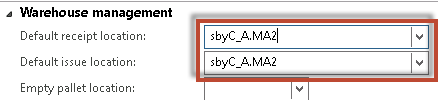
Pilih fast tab Location names
Isikan Default receipt location sebagai nilai default untuk lokasi penerimaan barang dan Default issue location sebagai nilai default untuk lokasi pengeluaran barang pada warehouse tersebut. |
14 |
Klik tombol Close untuk menutup form warehouse. |



Created with the Personal Edition of HelpNDoc: Easy to use tool to create HTML Help files and Help web sites