Release direct delivery
PETUNJUK :
Langkah |
Kegiatan |
1 |
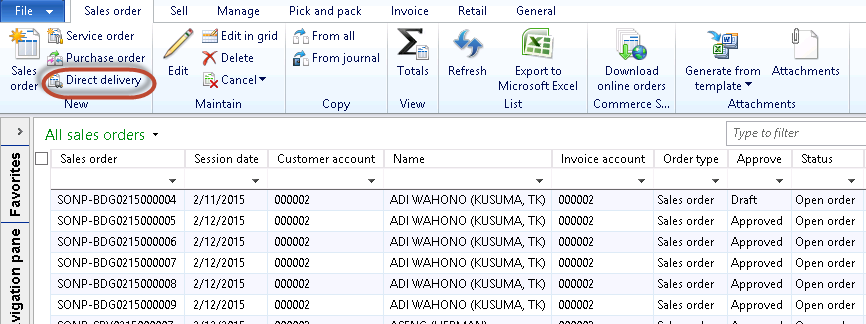
Pilih Sales and marketing > Common > Sales orders > Open sales orders. |
2 |
Muncul form berikut
|
3 |
Pilih SO yang akan dibuat direct delivery. |
4 |
Klik Direct delivery
|
5 |
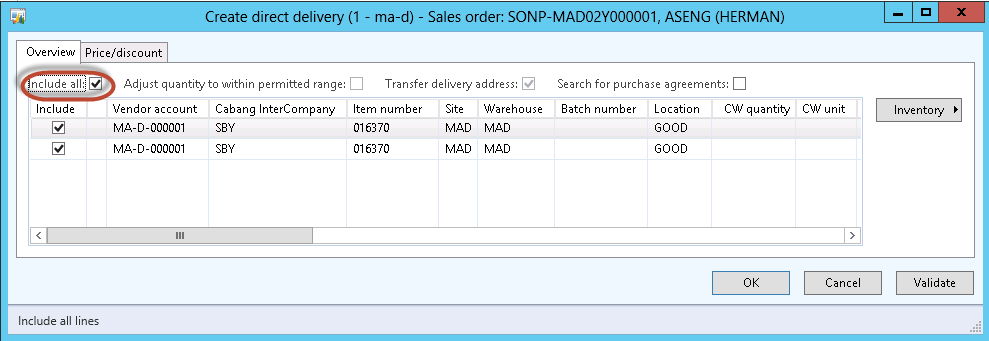
Centang Include all. |
6 |
Klik tombol OK. |
7 |
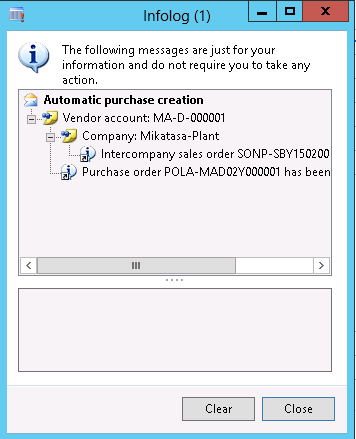
Jika suskses maka akan muncul infolog berikut
|
Created with the Personal Edition of HelpNDoc: Easy EBook and documentation generator