Cancel product receipt
Tabel berikut menunjukan cara melakukan koreksi product receipt :
Langkah |
Kegiatan |
1 |
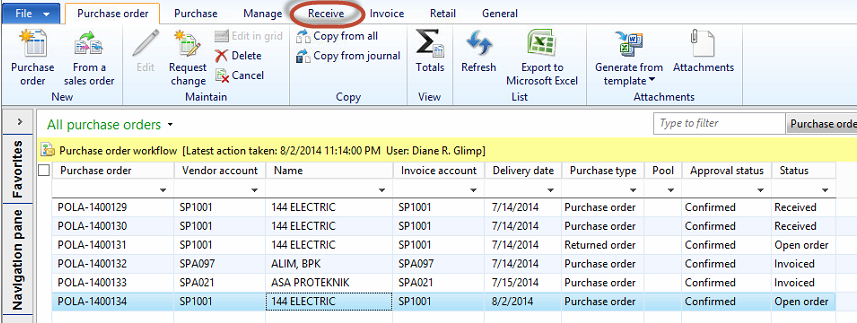
Pilih Procurement and sourcing > Common > Purchase orders > All purchase orders. |
2 |
Muncul form berikut
|
3 |
Klik tab Receive, muncul tampilan berikut
|
4 |
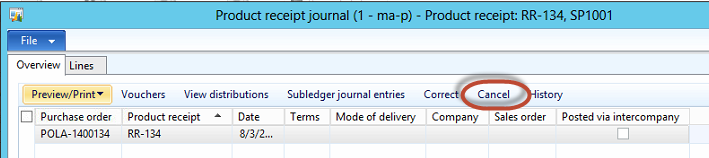
Klik Product receipt, muncul form berikut
|
5 |
Klik Cancel. |
6 |
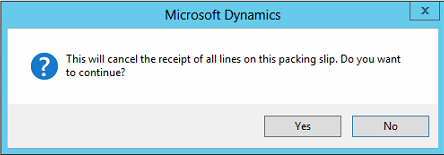
Muncul form berikut
|
7 |
Klik tombol Yes. |

Created with the Personal Edition of HelpNDoc: Create iPhone web-based documentation