Membandingkan RFQ antar vendor
PETUNJUK :
Langkah |
Kegiatan |
1 |
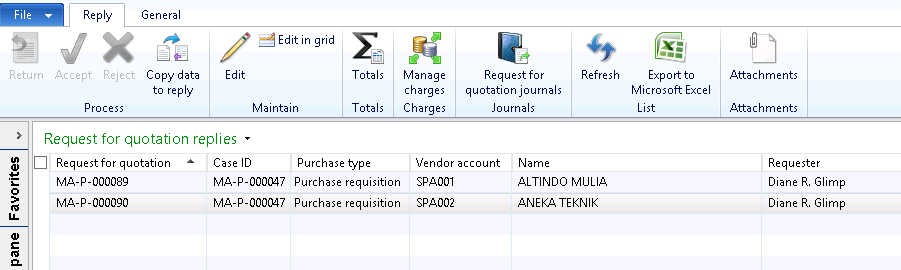
Pilih Procurement and sourcing > Common/Requests for quotations > Requests for quotations replies. |
2 |
Muncul tampilan berikut
|
3 |
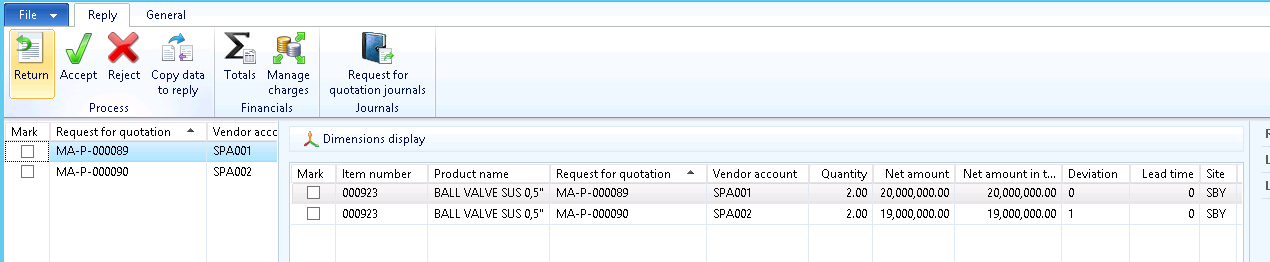
Pilih RFQ yang akan dibandingkan. |
4 |
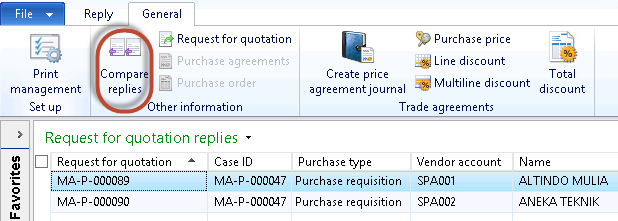
Pilih tab General
|
5 |
Klik tombol Compare replies. |
6 |
Muncul form berikut
|
7 |
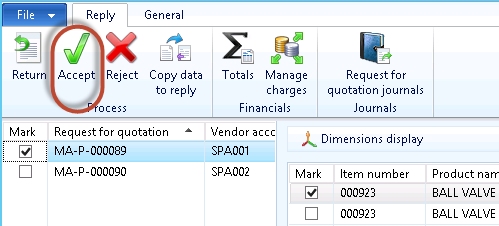
Pilih RFQ yang akan dibuatkan PO dengan klik tombol Accept
|
8 |
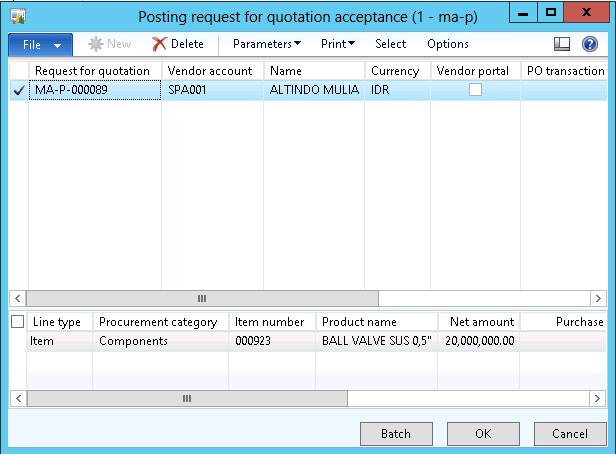
Muncul form berikut
|
9 |
Klik tombol OK. |
10 |
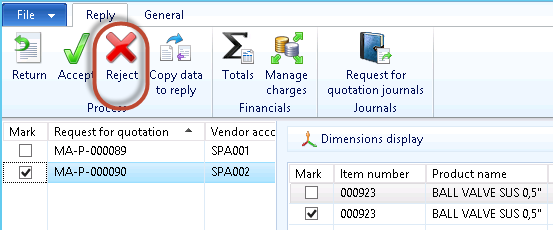
Pilih RFQ yang akan ditolak dengan klik tombol Reject
|
11 |
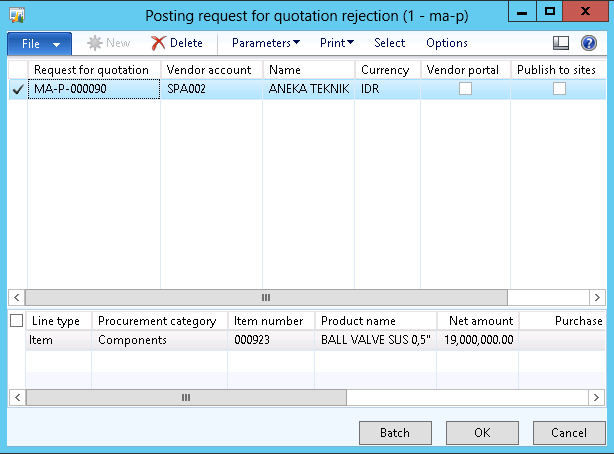
Muncul form berikut
|
12 |
Klik tombol OK. |
Created with the Personal Edition of HelpNDoc: Free HTML Help documentation generator