Pembuatan location
Tabel berikut menerangkan cara membuat inventory location baru :
PETUNJUK :
Langkah |
Kegiatan |
1 |
Pilih Inventory and warehouse management > Setup > Inventory breakdown > Inventory location. |
2 |
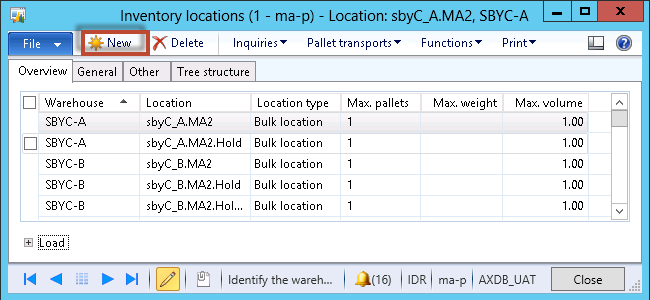
Muncul form berikut
|
3 |
Klik tombol New |
4 |
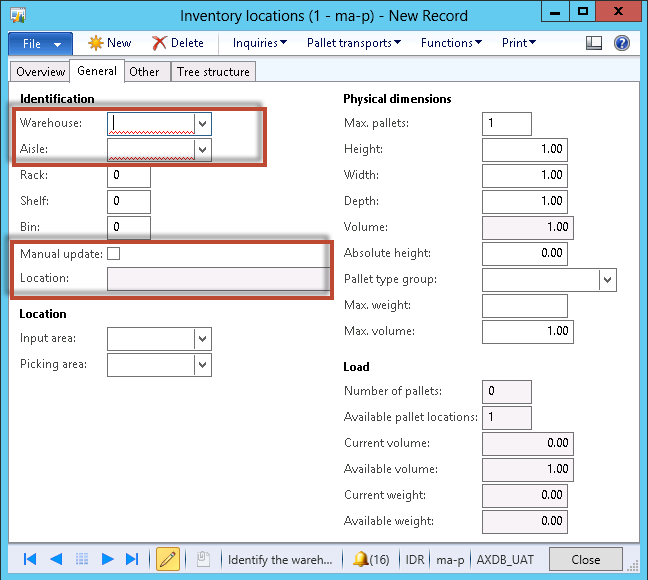
Muncul form berikut
|
5 |
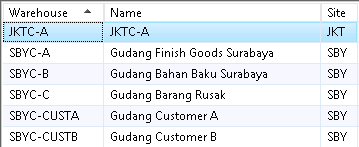
Pilih Warehouse dimana location tersebut berada
|
6 |
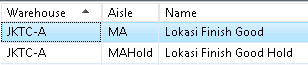
Pilih Aisle dimana location tersebut berada
|
7 |
Centang Manual update. |
8 |
Isikan nama lokasi pada field Location. |
9 |
Klik tombol Close. |

Created with the Personal Edition of HelpNDoc: Easy EBook and documentation generator